

November 2026
CMDBuild 4.3 and artificial intelligence

Connectors: the CMDB that updates from its sources
CHAPTER 2
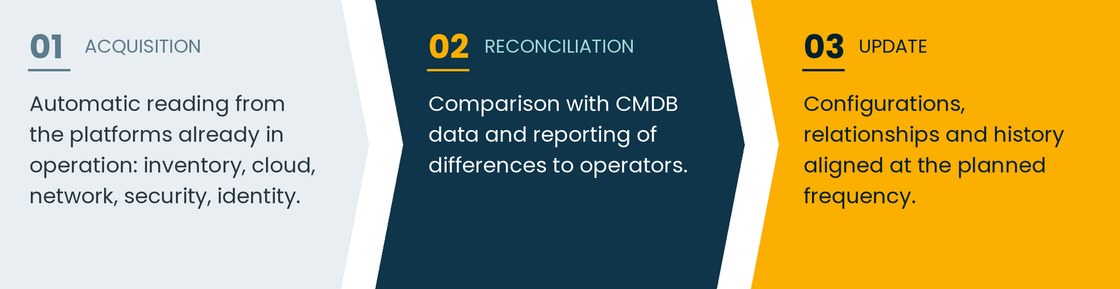
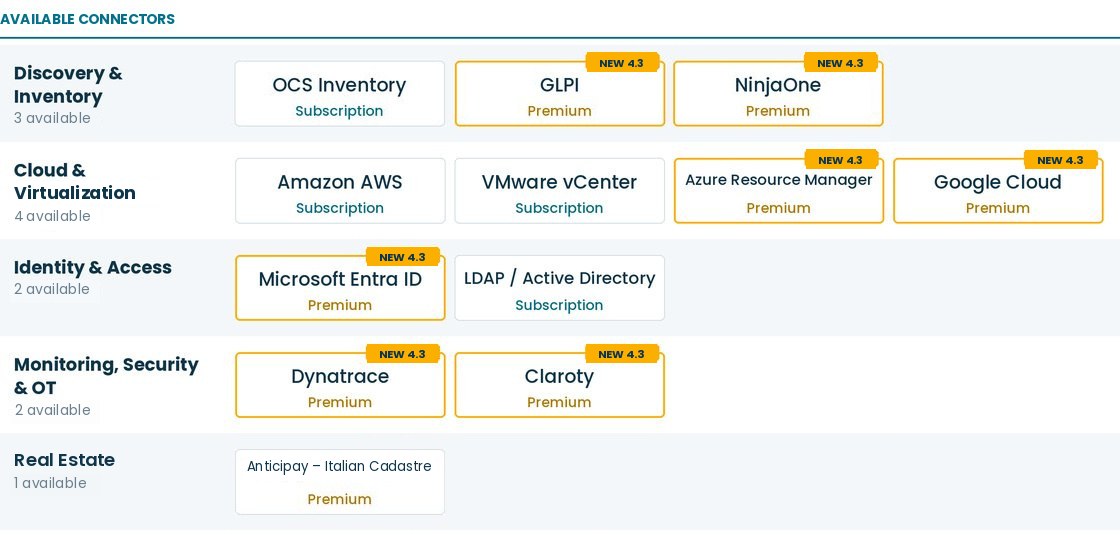
The value of a CMDB depends on the quality and freshness of its data. Connectors federate into CMDBuild the information from the platforms already in operation and keep it aligned over time; functional integrations extend the platform with AI, document management, mobility and data model synchronization.
|
12 connectors available |
6 connectors on the roadmap |
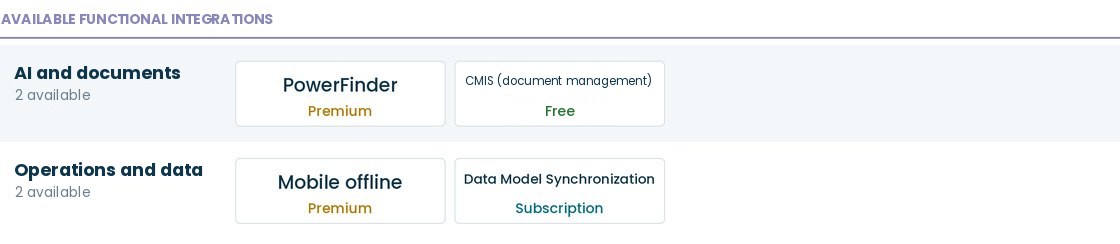
4 functional integrations |
How a connector works
Available connectors
|
Functional specifications. Acquired data, configuration and execution mode of each connector are described in the official CMDBuild documentation: docs.cmdbuild.org/docs/plugins/connectors |
Functional integrations
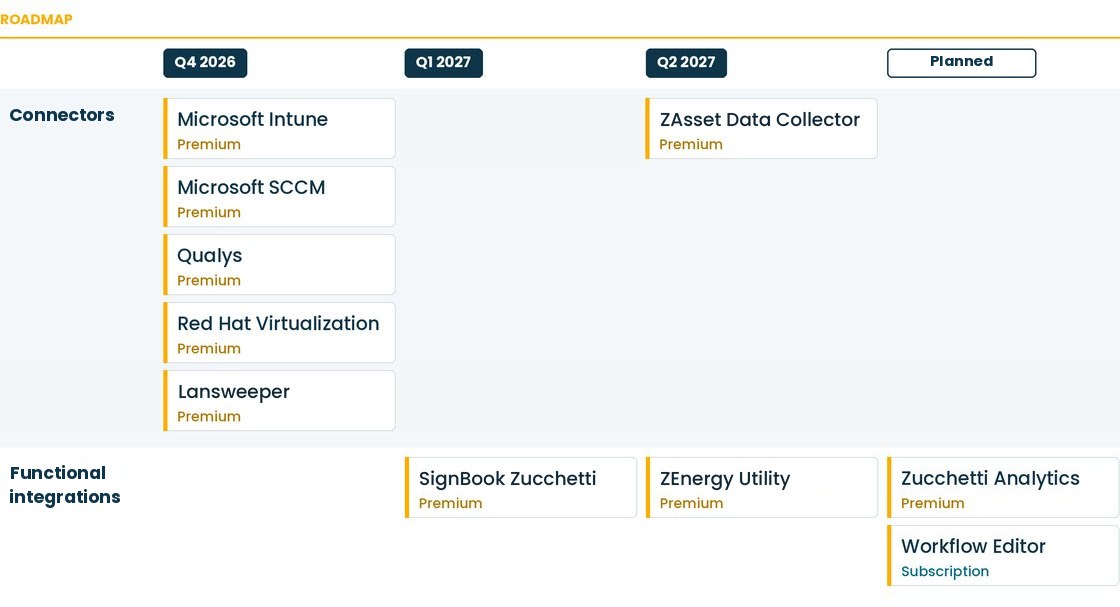
Roadmap
The catalog evolves on a quarterly schedule: new connectors and new functional integrations are added to the platform with subsequent releases.
|
Dedicated integrations. Beyond the catalog, the CMDBuild Service Bus waterWAY makes it possible to build custom connectors for each organization's systems, via REST and SOAP. Connectors and functional integrations are available under Premium, Subscription or Free licenses. |
The CMDBuild model: open source and enterprise accelerators
CMDBuild is, and remains, open source: transparency, independence and freedom of adoption are its foundation. On top of this core, our teams develop and maintain the accelerators that shorten project times, automate data feeding and integrate AI.
| LEVEL | WHAT IT INCLUDES | ACCESS |
|---|---|---|
| Core OPEN SOURCE · ENTERPRISE |
Configurable data model, workflow, dashboards, Dependency Tree, traceability, APIs and official documentation. | Free download from the project website, with PAT support and maintenance under subscription |
| Vertical solutions OPEN SOURCE · ENTERPRISE |
CMDBuild READY2USE, pre-configured solution for IT Asset & Service Management; openMAINT for Property & Facility Management. | Ready-to-use solutions, with PAT support and maintenance under subscription |
| Functional accelerators ENTERPRISE · AI |
Connectors for automatic data acquisition; functional integrations such as PowerFinder (AI.COMPANION), Mobile offline and Data Model Synchronization. | Premium, Subscription or Free license |
| Subscription and services ENTERPRISE |
Support with SLA levels, version updates, design, integration and training. | PAT subscription contract and professional services |
Subscription contracts include version updates, access to connectors and to the evolutions released.
Customer stories
Food industry, data centers, aerospace research: three different contexts, one platform that grows together with the organization.
CHAPTER 3
FOOD INDUSTRY · CMDBUILD READY2USE
Valsoia: from ticketing to the IT control center

|
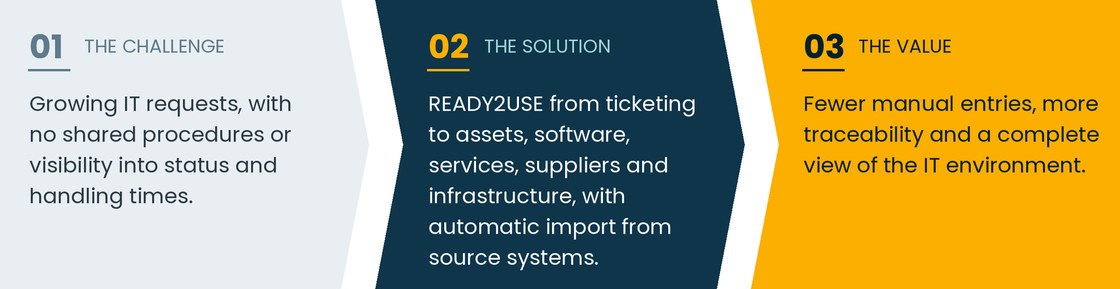
THE CUSTOMER Since 1990 Valsoia S.p.A. has been leading the way toward healthy, conscious eating. The company offers a complete range of plant-based alternatives and operates in health-food nutrition, with products distributed in Italy and several European countries. |
|
6 years of continuous evolution |
1,000+ tickets handled every year |
700+ assets recorded |
Looking ahead – extended use of READY2USE and further automation; many enhancements have already been implemented independently by the in-house IT team.
DATA CENTER · OPENMAINT · PHNOM PENH, CAMBODIA
Chaktomuk Data Center: every intervention planned, tracked and documented

|
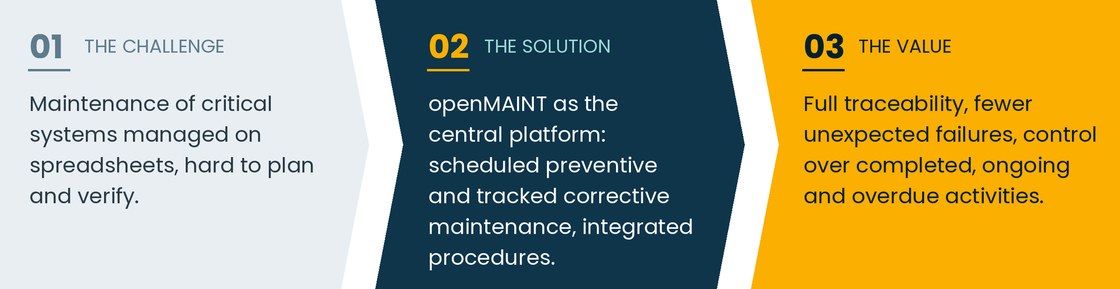
THE CUSTOMER Chaktomuk Data Center is a colocation data center. In its facility of about 7,000 m² it hosts customers' infrastructure in colocation, in an environment designed for continuous availability of power, cooling, fire protection and security. |
|
4,500 assets managed |
700 work orders per year |
7,000 m² of critical infrastructure |
Looking ahead – extension of openMAINT to an affiliated company, with about 220 sites and 20 additional users on the same system.
AEROSPACE RESEARCH · OPENMAINT · CAPUA
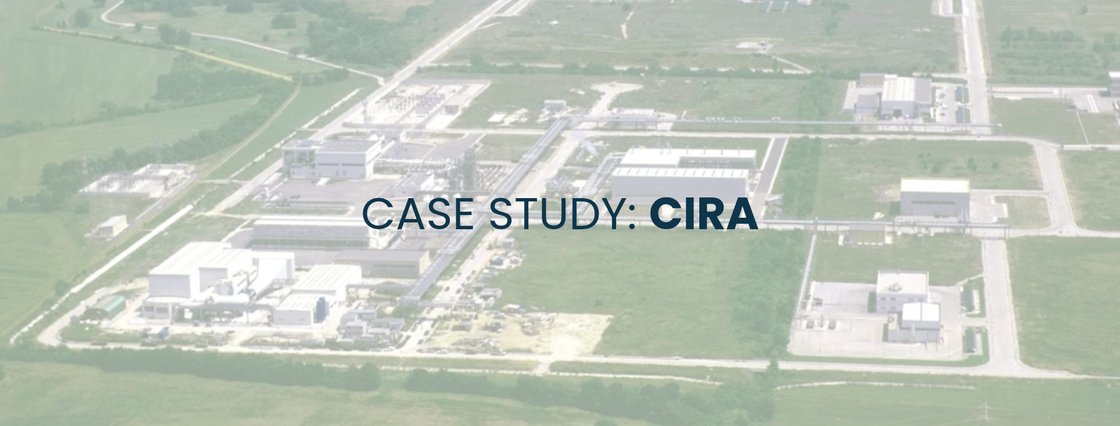
CIRA: maintenance knowledge becomes an asset of the organization
|
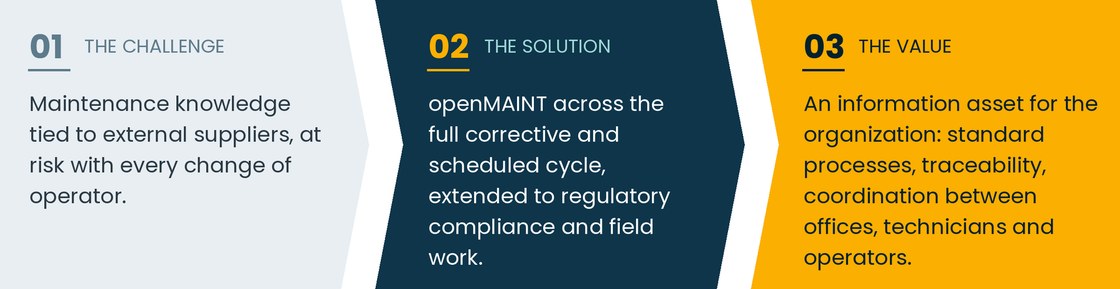
THE CUSTOMER The Italian Aerospace Research Centre, a company majority-owned by public entities and based in Capua, operates in aeronautical and space research and has the largest set of aerospace research infrastructures in Italy: test facilities, laboratories, buildings and highly complex services. |
|
7,500+ assets managed |
1,400+ maintenance plans |
400+ work orders per year |
Looking ahead – unified management of maintenance, deadlines and inspections for assets and machinery subject to regulatory obligations.
Community and contacts
CHAPTER 4
CMDBuild has joined the GitHub ecosystem
CMDBuild is now available on GitHub: an important step to make the project even more accessible to the open-source community and to encourage collaboration among developers, integrators, partners, and maintainers.
Publishing the code on one of the main platforms for collaborative development increases its visibility and makes accessing the source code easier, offering new opportunities to learn about, evaluate, and adopt CMDBuild.
Through tools like issues and pull requests, developers and organizations can report problems, suggest improvements, and share contributions and integrations. Public availability of the code and the change history also strengthens transparency and participation in the project's evolution.
Being on GitHub also opens new possibilities for distribution and reuse in the Public Administration, through the Developers Italia catalog.
CMDBuild Manuals
The official documentation evolves with every release: the online manuals incorporate the new features and give users, administrators and developers a reliable reference for using, configuring and integrating CMDBuild.
|